Every ticket gets a playbook.
A strategy is a step-by-step playbook that guides every ticket purchase — from the moment we buy it to the moment it's safely delivered to the customer. This guide explains how those playbooks work, in plain English.

01What is a strategy?
One sentence: a strategy is the plan a ticket follows from purchase to delivery.
Every day, tickets are bought across many accounts and marketplaces. Each purchase needs the same care: check it arrived correctly, keep an eye on it, and deliver it before the event. Doing that by hand for thousands of tickets doesn't scale.
So instead, every purchase gets assigned a strategy — a playbook that says exactly what to do and when. Inside, every rule is the same simple sentence: "when X happens (and only if Y), do Z — with safety rules P." The system follows the playbook automatically, and people step in only when something needs a human.
It starts at purchase
The moment a purchase shows up in Reach (our system of record), its journey begins and a strategy takes charge.
It follows a plan
Checks, health scans, and delivery steps happen at the right moments — automatically.
It always ends
Every ticket reaches a clear final outcome. The goal is always the same: Fulfilled ✓.
02The ticket's journey
Two fixed points, one path between them.
Every journey is stretched between two moments we always know:
- The purchase — the moment the purchase order appears in Reach. This is the starting line.
- The event date — the concert, game, or match itself. This is the deadline everything works backward from. If an event gets postponed, all scheduled steps automatically shift with the new date.
Every journey ends in one of three ways
Nothing is allowed to just trail off. Every ticket lands in exactly one final outcome:
Fulfilled
The customer has their tickets, confirmed — whichever delivery route got us there. This is the goal, always.
Canceled
The purchase or tickets were canceled upstream. Journey ends.
Refunded
Money came back instead of tickets. Journey ends.
03The three timing windows
Different moments call for different work.
Between purchase and event, a strategy organizes its work into three windows. This is the core idea behind every playbook:
Verify everything
Within hours of purchase: are the tickets actually there? Do the seats, barcodes, and account details all check out? Catch problems while they're fresh and easy to fix.
Routine check-ups
Weeks or months may pass before the event. During the quiet middle, the strategy runs regular health checks — daily or weekly — to make sure nothing has quietly gone wrong.
Deliver the tickets
Starting about 3 days out (T−72h), the main delivery push begins: get the ticket links, retry if needed, fall back to backup delivery methods, and escalate anything stuck.
Steps in the first window count forward from the purchase ("2 days after we bought"). Steps in the countdown count backward from the event ("72 hours before showtime"). And when the countdown starts, the routine check-ups automatically stand down so they never get in the way of the delivery push.
04Reacting to surprises
The clock isn't the only thing a strategy listens to.
Real life doesn't wait for the schedule. If something happens to a ticket — at any point in the journey — the strategy reacts immediately:
An error pops up
A login fails, an account looks risky, a delivery bounces. The strategy runs the matching fix-it routine right away.
The purchase is canceled
If the seller cancels, the ticket's journey ends cleanly as Canceled and the team is notified — no wasted effort.
The situation changes
If a ticket no longer fits its playbook — say it turns out to be high-risk — it can be moved to a different strategy better suited to it, mid-journey.
That last one matters: switching playbooks is a normal, first-class move. The system records exactly when a ticket moved, from which strategy to which, and why — so there's always a clear paper trail.
When tickets go bad, the strategy has real options
Say the tickets on a sale turn out to be unusable — the account got locked, or the seats vanished. The strategy doesn't just raise an alarm; it can actually fix the situation:
- Un-assign the bad tickets from the sale (keeping a snapshot, so it can be undone) and assign other tickets we already own that are just as good or better.
- Shop for replacements on the wholesale marketplaces we buy from — equal or better seats, within a price limit, with a human approving the purchase.
- Flag the account so it shows up in a review list (and gets labeled in AMP), and create a task for a person — an ops teammate or the puller who owns the account — with Slack alerts, reminders, and escalation if it sits too long.
05One sentence builds everything
Every rule in every playbook is the same sentence.
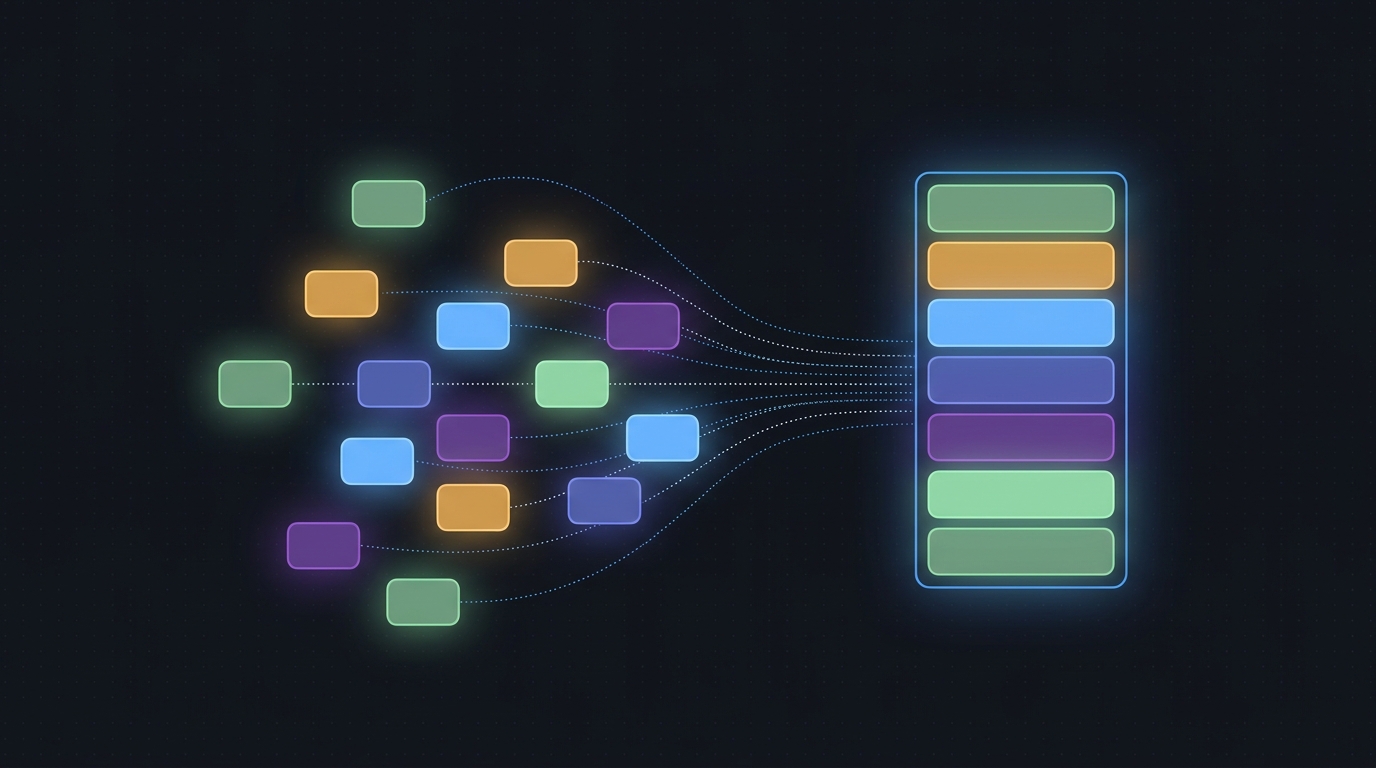
You don't write code to build a strategy. Every rule you create reads like this:
When X happens
The trigger. A new purchase lands, a sale comes in, an error pops up — or simply a moment on the clock: "2 days after purchase", "72 hours before the event". Clock triggers and event triggers are the same idea — one listens to the calendar, the other to the world.
…and only if Y
Optional filters that live on the trigger, using what we know about the event, the account, the purchase, and the tickets — "only FIFA events", "only if the barcode is missing". No filters? It fires every time.
…do Z
The actions — a sequence of steps, or a saved routine from the library. Scan the account, pull ticket links, deliver, alert a person. A sequence can fork mid-way with an If / else branch step.
…with safety rules P
The policies — retry limits, cooldowns, daily caps, and how much the strategy may do without asking a human. They wrap the work; they aren't steps in it.
The trigger library
The common triggers are built in: New Purchase, New Sale, Purchase Canceled, Event Date Change, Error Raised, Status Change, Criteria Matched — plus the clock triggers. And when you build a trigger with filters you'll want again (say, "FIFA errors only"), you can save it as a custom trigger with a name. It joins the library and any strategy can use it. The library shows where each one is used — and editing a shared trigger warns you it affects every strategy using it.
Not sure a trigger is set up right? Each one can show a quick simulation: "this would have fired 14 times in the last 30 days" — so you know what you're signing up for before it goes live.
Required triggers — every playbook answers the basics
Some things every playbook simply must have an answer for. An event playbook must say what happens on New Purchase, New Sale, and Purchase Canceled — those aren't optional. The builder shows a checklist ("Required triggers: 2 of 3 handled") and won't let you publish until they're all covered. Most playbooks don't write those answers themselves — they just inherit the standard answer (next section).
A strategy also declares its scope: most govern a whole event, but a strategy can be scoped to a single sale or ticket — say, a special playbook for one problem sale. Sale-scoped playbooks have a smaller required list — New Purchase and Purchase Canceled (with Error Raised recommended) — because the sale already exists.
Inheritance — define it once, in the Base strategy
There is one Base strategy at the root. It holds the standard answer for the required triggers: what normally happens on a new purchase, a new sale, a cancellation. Every other strategy inherits those answers automatically and only overrides what it does differently.
In the builder, inherited handlers appear ghosted with an "inherited from Base" chip. Click to override — the handler is copied into your strategy as editable. Remove the override, and you're back to inheriting. The Base itself (currently v3) is edited like any strategy, with one caution: change the Base and every inheriting playbook picks up the new default — the builder warns you before you publish that change.
Routines — the reusable sequences
Sequences you use over and over — the standard account health check, the full ticket-link delivery ladder — are saved as named routines. A trigger can fire a one-off sequence or a routine from the library; either way the whole proven sequence comes with it.
When a routine is improved, existing strategies keep using the version they were built with until someone deliberately upgrades them. No surprise changes.
Policies — the renamed safety rails
Safety rules aren't blocks you place; they're settings attached in the inspector, at two levels. Strategy-level policies cover the whole playbook: autonomy (dry-run / ask-first / automatic), the never-ending-pending cutoff, daily action caps. Per-trigger policies tune one handler: its retry ladder per error type, cooldowns, and what happens when a human task it created goes stale.
06Trigger & action reference
Everything in the builder, in one place — triggers, actions, routines, policies.
Triggers — built-in
New Purchase
Fires the moment a purchase order appears in Reach — the start of every journey. Required for event playbooks.
New Sale
Fires the moment a new sale shows up. Required for event playbooks.
Purchase Canceled
Fires the moment a purchase is canceled upstream, so the journey can wrap up cleanly. Required for every playbook.
Event Date/Time Change
Fires when the event moves — all countdown timers re-anchor to the new date automatically. Recommended.
Error Raised
Fires when a known problem type occurs (there are 28 classes, each with its own fix-it path). Filter by error class.
Status Change
Fires when an order moves from one status to another (e.g. "delivery problem" → "delivered").
Criteria Matched
Fires when a chosen set of filters all become true — often used to move a ticket to a better-suited strategy.
Triggers — schedule (the clock is a trigger too)
T+ after purchase
Fires a set time after we bought — "2 days after purchase, run the health check".
Every N (recurring)
Fires on a repeating cadence during the waiting period — and stands down automatically once the final countdown opens.
T− before event
Fires when the countdown passes a chosen point (e.g. 72 hours out) — the fulfillment driver.
Triggers — custom (saved to the library)
Your own, named
Any trigger plus its filters, saved with a name — "FIFA NEP Error", "High-Value Sale". Reusable across every strategy, with usage counts; editing a shared one warns you how many strategies it touches.
The filters
Filters live on the trigger and can use anything we know about the event (date, venue, FIFA/MLB flags), the account (login health, bind count, proxy), the purchase (vendor, total, tags), and the tickets (barcode, delivery type, marketplace, price band).
Do this — actions: flow & branching
If / else branch
A fork in the middle of a sequence: check something about the event, account, purchase or tickets, and take one path or the other. Trigger filters decide if a rule fires; this step decides which way a running sequence goes.
Options: property domain, the check, the else path.
Do this — actions: delivery
Extract wallet links
Pull the mobile ticket links so they're ready to hand to the buyer.
Options: retry schedule, safety caps.
SMP fallback link
Use the backup link system when the main one comes up empty.
Merge links
Combine multiple ticket links into one clean link for the buyer, where the marketplace requires it.
Deliver URL
Send the finished ticket link to the marketplace so the buyer gets their tickets.
Hard transfer
Formally transfer the tickets to the buyer's account — required for certain locked-down accounts.
Fulfill via surrender / FVE
The last-resort way to fulfill: buy the sale back or surrender the tickets. Costly, so a human approves it — but the journey still ends Fulfilled ✓.
Do this — actions: inventory & allocation
Verify purchase data
Right after a buy: confirm the tickets, seats, barcodes and account details all actually landed.
De-allocate inventory from sale
Un-assign tickets from a sale (e.g. because they went bad) — a snapshot of the old assignment is saved so it can be undone.
Options: reason code, how long it stays restorable.
Restore allocation
Put a previously saved ticket assignment back on the sale — after checking the seats are still ours and free.
Re-allocate inventory to sale
Assign other tickets we already own to the sale — equal or better seats, within a price band.
Find replacement tickets (B2B)
Shop the wholesale marketplaces for equal-or-better replacement tickets.
Options: which marketplaces, max price, auto-buy vs. propose-for-approval.
Add note to inventory / sale
Attach a permanent note to the sale or the tickets so anyone looking later knows what happened.
Do this — actions: account health
Sweep account
Run a full health scan on the account — confirm the login works and the tickets are all visible.
Flag account
Mark an account for attention. Flagged accounts show up in one easy review list, can be labeled in AMP too, and can be snoozed until a chosen date.
Rotate proxy on account
Give the account a fresh internet address from the pool.
Options: proxy pool, cooldown between rotations.
Reset proxy on account
Restart the account's current internet connection — the cheaper fix to try before rotating.
Run TT task with TT proxy
Run the ticket-link job through the dedicated link-service connection instead of the account's own — handy when the account's connection is burned.
Do this — actions: human tasks
Create manual review task
Hand a defined job to an ops teammate — e.g. "Fix Bad Email" or "Reset Account Password & Provide". Tasks build tidy work queues by type.
Options: task type, assignee, due date, priority.
Notify puller (puller task)
Same idea, but the job goes to the puller who owns the account — they get a Slack alert and can answer right in the thread (e.g. paste the new phone number).
Notify human
Send an alert — to the team channel, a Slack DM, or the intervention queue — grouped so nobody drowns in pings.
Do this — actions: lifecycle
Transition to strategy…
Move the ticket to a different playbook mid-journey, with a full paper trail of when and why.
Mark terminal state
End the journey in a final outcome — Fulfilled ✓, Canceled, or Refunded.
Policies — the safety rails (set in the inspector, not placed on the canvas)
Retry policy per error type
Each known problem type gets its own fix-it recipe with a cap on attempts — no infinite loops.
NEP cutoff
If something sits "pending" too long (45 min), stop waiting and route it for recovery.
Cooldowns
Enforced waiting periods so the same account or service is never hammered twice in a row.
Rate & volume caps
Hard daily and per-minute limits on how much work the system fires at partner systems.
Marketplace capability check
"Does this marketplace even allow that?" — checked before any work starts, not after it fails.
Autonomy level
How much the strategy may do on its own: dry-run, ask-first, or fully automatic. A human lock always wins.
Task follow-up / escalation policy
If a human task isn't done in time: recurring reminders, then escalation to a lead — nothing gets to quietly rot in a queue.
Routines — reusable sequences
Standard Sweep Health Check
The proven account check-up routine: scan, verify, retry smartly, watch for stalls.
TT Wallet Link Ladder
The full ticket-link delivery routine, retries and fallbacks included.
Hard Transfer Fallback
Capability check → formal transfer → alert if it stalls.
Cancel Watch
Purchase canceled → close the journey cleanly → tell the team.
07Versions & safety
You can never break a running strategy by accident.
Who decides which strategy a ticket gets?
- Each event has a default. New purchases for that event automatically enroll in it.
- Smart rules can override the default — e.g. "FIFA purchases → FIFA Aggressive", "tagged no-fulfill → Manual". Most specific rule wins, and you can preview how many sales a rule would affect before applying it.
- A person can always pin a specific ticket to a specific strategy. A human pin beats every rule.
08Coming next: spotting purchases earlier
Phase 2 — designed today, built later.
Today, a journey starts when the purchase order appears in Reach. Phase 2 will start watching even earlier, using two additional signals:
- Cart activity — the earliest hint that a purchase is happening (also the noisiest).
- Purchase-confirmation emails — arriving within seconds of a buy.
The job of Phase 2 is simple: if those early signals fire but no purchase order shows up in Reach within a grace period, raise the alarm — a purchase happened that our system of record doesn't know about yet. Once the PO exists, Phase 2's job is done and the normal journey begins. Nothing about today's strategies has to change when it arrives.
09The Fulfillment screen
Strategies is where you design. Fulfillment is where you watch it happen.
The Fulfillment view shows every running journey, grouped by event:
Strategy chips
Each event band shows which playbook is governing its sales — the same names you edit in the Strategies view.
Progress steppers
Swept → Links → Delivered. See at a glance where each sale sits on its journey, with badges for anything unusual.
Deadline countdowns
The time remaining before each event, with the nearest deadline always visible in the toolbar.
Assign Strategy
The waterfall button on an event band lets you change that event's default strategy — with a preview of how many sales it affects before you commit.
Human locks
A named lock on a sale means a person is handling it — automation stays out until the lock is released.
DRY-RUN / LIVE
The same master safety switch. In DRY-RUN, every button simulates and logs instead of touching real systems.